Custom Product Demonstration Booth Design
Give visitors a clear view of what your product does, with demonstration counters, supporting displays and a layout built around the real presentation.
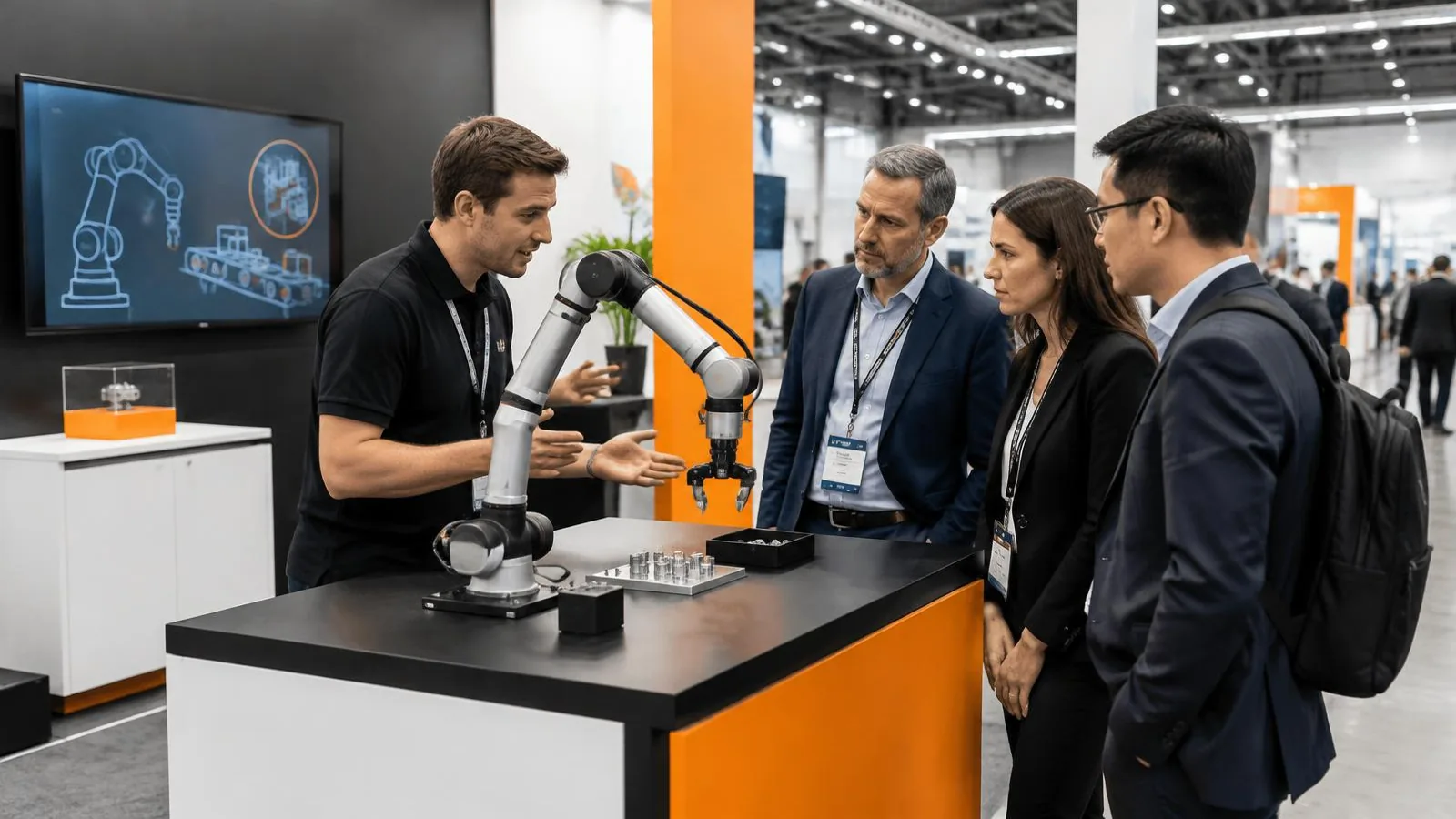
Custom product demonstration booth design starts with the action a visitor needs to see. A product may need to be handled, operated, compared, explained on a screen or presented by a specialist. The stand should support that action rather than surround it with unrelated decoration. The Concept WLL combines exhibition design, fabrication and agreed AV integration to create counters, display zones and practical visitor routes. This focused service is for a demonstration-led booth, not a general product-launch event or a promise that an interactive feature will automatically produce more leads.
For exhibitors in Saudi Arabia, Bahrain and the UAE, the brief connects the product, presenter and visitor within the booked space. Bahrain headquarters and Riyadh production capability support our regional exhibition work. Product suppliers remain central to the technical requirements: actual dimensions, operating conditions and approved demonstration content should inform the design. Whether you are showing industrial equipment, a device, software or a physical sample, the useful question is what the audience needs to understand and how the booth makes that explanation easier to follow.
Define the demonstration before drawing the booth
Describe the presentation as a short sequence: how a visitor approaches, what the presenter shows, whether the visitor participates and what happens after the demonstration. Identify the essential product benefit without inventing claims beyond your approved material. A hands-on sample, live equipment cycle and screen-led software walkthrough need different spaces and technical support. Agree the number of simultaneous demonstrations and the likely presentation duration. This helps set counter sizes, viewing positions and staffing requirements. A design built around a real sequence gives your sales and technical teams a clearer brief than a generic request for an engaging booth with unspecified interactive features.
Plan visitor sightlines, viewing space and circulation
Visitors need to see the important part of the demonstration without stepping into an unsafe or obstructed position. Consider the likely approach from the aisle, the presenter’s location and whether standing guests hide the product from people behind them. Provide a defined viewing area within the stand rather than relying on the public aisle as overflow. Separate queuing, viewing and follow-up discussion where the footprint allows it. If several demonstrations run at once, check how groups move between them and whether staff can supervise each zone. The layout should also preserve access to storage, technical equipment and any private meeting area.
Design demonstration counters around the real product
A demonstration counter should follow product dimensions, weight, handling and operating needs. Some products need a stable mounting point, others need a clean working surface or space for the presenter’s tools. Confirm the requirements with the responsible supplier before deciding the construction and finish. Plan for cables, ventilation and service access where applicable, without assuming every device can be enclosed in a decorative cabinet. Secure storage for spare parts or samples should remain accessible to the team. The counter can carry approved branding, but its proportions should first allow the presentation to be performed comfortably and safely in the intended exhibition setting.
Integrate screens and technology with a clear purpose
AV should help visitors understand something that the physical presentation alone cannot show. A screen can display an enlarged close-up, a software interface or an approved explanation of the product’s application. Choose its position around visibility, ambient light and the presenter’s movement. Confirm playback devices, content format, internet dependency and the person responsible for operating the system. Interactive content needs a defined workflow and usable visitor inputs, not simply a promise of innovation. The Concept integrates agreed technical elements into the exhibition environment; product software, specialist equipment operation and content approvals should have their own responsible owners within the project.
Coordinate equipment safety and organiser requirements
Live demonstrations can introduce loads, moving parts, heat, sound or other conditions that need review. The product supplier should identify operating restrictions and the relevant technical information. Coordinate those requirements with the organiser manual and appropriate specialists before the booth details are released. Where a demonstration needs barriers, supervision or a defined distance from visitors, make that part of the layout. Do not describe a visual design as proof that equipment is approved to operate in the hall. Power, rigging and other official services need agreed booking responsibilities. If the live demonstration cannot meet the actual conditions, discuss an approved non-operating display or explanatory alternative.
Support both hands-on demonstrations and guided explanations
Visitors differ in how much time and technical context they bring. A brief guided demonstration can introduce the product, while a deeper conversation answers detailed procurement or application questions. Consider whether a visitor can touch the sample, whether the presenter needs to reset it and where accessories are kept between sessions. Approved printed or screen content can reinforce the explanation without forcing everyone to read a long wall of text. Provide a practical transition to a discussion counter or meeting area when questions continue. This allows the stand to support different conversation lengths while keeping the main demonstration available for the next interested visitor.
Keep product visibility, lighting and brand content aligned
The product should remain the clear focal point. Lighting can reveal details and improve readability, but glare, reflections and competing screens may make small features harder to inspect. Check how approved finishes and backgrounds work with the product colour and size. Brand messaging should identify the offer and guide the visitor to the demonstration, using concise approved Arabic or English content where required. Avoid placing large furniture or decorative features in the key viewing line. A coherent palette can make the stand recognisable while the actual demonstration carries the explanation. Final content should remain accurate to the product rather than presenting invented performance or customer outcomes.
Prepare the team, reset procedure and show-day interfaces
The most polished counter still needs a workable operating plan. Identify who presents, who welcomes waiting visitors and who handles follow-up conversations. Agree how equipment is reset, where consumables or samples are stored and what happens if the product or playback system is unavailable. Build a test opportunity into the project schedule so the presenter can check the demonstration in its intended position. Access to technical connections should remain practical after finishes are installed. For show-day support, define the construction and AV responsibilities separately from product operation. This gives the exhibitor a clearer handover and avoids treating an untested demonstration as complete simply because the booth has been built.
Adapt demonstration zones for regional exhibition programmes
A demonstration unit may be retained for later shows when its construction and packed dimensions suit reuse. Review the next footprint and product range before assuming the same layout will work everywhere. Replaceable graphics, detachable screens and accessible connections can make updates more practical, but each organiser’s current requirements still apply. For programmes involving Riyadh, Jeddah, Manama or Dubai, coordinate equipment origin, transport interfaces and venue access with the appointed providers. If the booth is moving between countries, product documentation and specialist handling need attention alongside stand materials. The design should support these dependencies without promising a universal approval or transport outcome.
Request a demonstration-led exhibition design proposal
Share the product details, approved messages, demonstration sequence and booked stand plan through the existing homepage enquiry form. Include equipment dimensions, utilities, supplier instructions, expected audience size and any required screens or interactive content. Add brand guidelines, exhibition dates, organiser manual and a budget range. A useful proposal distinguishes design, counters, displays, lighting, AV integration, installation and the technical or content work supplied by other parties. The result should help your team compare the presentation options and identify decisions needed before fabrication. Success is measured against your actual exhibition objectives, not a fabricated lead increase or guaranteed sales result.
Scope to agree for your project
- Demonstration brief and visitor journey planning
- Custom counters, product mounts and display zones within the agreed scope
- Layout coordination for viewing, queuing and follow-up conversations
- Product-focused lighting and approved brand graphics
- AV and interactive-content interfaces where specified
- Installation, testing and exhibitor handover coordination as agreed
From your brief to project handover
Clarify the product
Define the approved demonstration, audience and essential message. Collect equipment dimensions and operating information from the responsible supplier.
Map the experience
Plan the presenter, visitor viewing area, participation and follow-up route within the confirmed exhibition footprint.
Approve the design
Review counters, displays, lighting and technical interfaces alongside the applicable organiser requirements and product safety information.
Fabricate and integrate
Produce the agreed booth elements and coordinate AV, mounting and access details with the appointed product and technical teams.
Test and hand over
Allow for the agreed demonstration checks before opening and clarify reset, product operation and show-day support responsibilities.
Custom Product Demonstration Booth Design: questions answered
Can the booth support a live product demonstration?
Yes, where the actual product requirements and organiser conditions allow it. Supply operating details early so layout, utilities, supervision and any specialist review can be coordinated.
Can visitors try the product themselves?
Hands-on use can be planned when appropriate to the product. Define supervision, reset procedures and the approved interaction so the counter and visitor space suit the experience.
Can you integrate a screen or interactive content?
Agreed AV and interactive elements can be integrated into the booth. Confirm content ownership, formats, internet needs and supplier responsibilities before construction and testing.
Who operates the demonstration equipment?
Product operation should be assigned to the exhibitor or appointed specialist. The project scope should distinguish that role from stand construction, AV setup and any agreed show-day support.
Can the demonstration counter be reused?
Reuse can be considered through suitable construction, packing and replaceable graphics. Future plot dimensions, product changes, condition and organiser requirements determine the adaptations needed.
What should we send to start the design?
Provide product dimensions and instructions, demonstration sequence, approved brand content, plot plan, venue manual, utilities, show dates and budget. Include supplier contacts for technical coordination.
Related pages
- Exhibition stand design and build
- Reusable stand design for multi-show programmes
- Riyadh exhibition and production planning
- Exhibition stand services in Manama
- Exhibition stand services in Dubai
- Exhibition Stand Refurbishment Services
- Exhibition Booth Dismantling and Storage
- Exhibition Stand Transport and Logistics Management
- Trade Show Meeting Room and Private Lounge Construction
- Discuss your exhibition project
Photo: AI-generated illustration